



25 May Everything you need to know about your CybSyn account!
Dear customers,
Everything, everything, everything—you will know all about… your CybSyn account with this email (so a word of advice: keep it safe!)
First of all, of course: log in to your CybSyn account with your username and password.
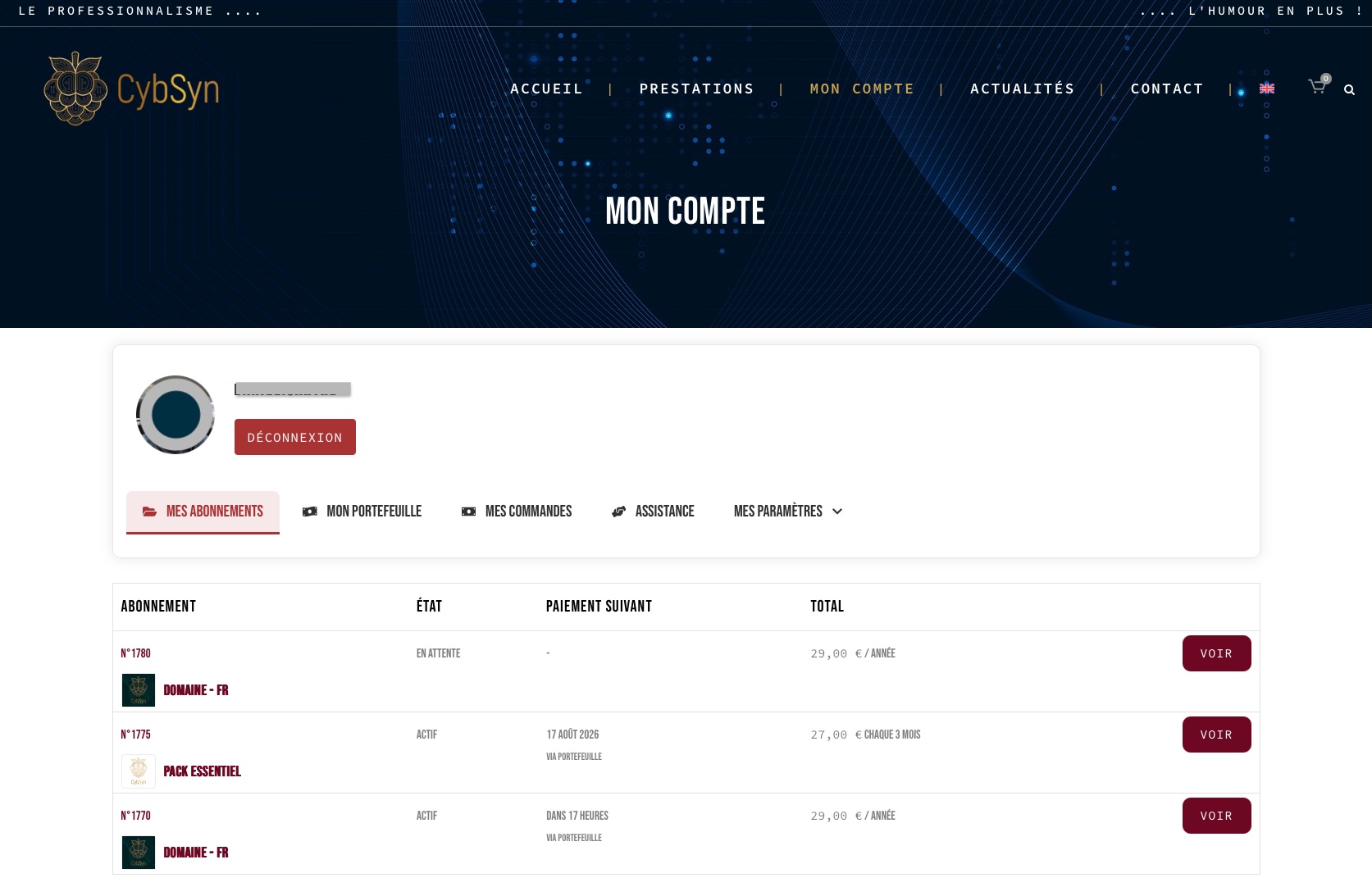
My subscriptions:
Where all your… subscriptions are summarized. Quite a surprise, isn’t it?
If you wish to renew one, for example, click “VIEW” to the right of the relevant subscription, then “RENEW NOW.” Then simply follow the instructions. And there you go, all set!
My wallet:
Access to your prepaid account to store your cash, funds, and dough while waiting for an automatic payment. Scrooge McDuck couldn’t have done it better.
Useful for facilitating your subscription renewals and thus better budgeting and forecasting future expenses, while avoiding multiple transfers and calculating business days, holidays, etc.
My orders:
The page that displays all your orders, past and present, along with their invoice as soon as payment is made.
The order status is even specified:
– “pending payment” (= we are awaiting your validation and choice of payment, namely by bank transfer or via the wallet);
– “on hold” (= we are awaiting receipt of your bank transfer);
– “failed” (= the automatic renewal with your wallet failed because the balance was insufficient. You must top up your wallet and pay for your “failed” order);
– “processing” (= we have received the funds and are processing the services included in the order);
– “completed” (no explanation needed, right?).
Support:
Our Legendary Support… A problem, a question?
You can write to us in this area (= open a ticket) by specifying:
– the urgency level: high (= “to be processed no later than within 48 hours”); medium (“it can wait a bit but not too long,” i.e., within 4 days); low (“I want this within the week”)
– the category: hosting; SEO; support; CybSyn account management; other (if you want to be original…)
From 9 AM to 6 PM on business days for all requests. Exception made for hosting, for which there are no set hours as we know how urgent it can be.
– The Boss even thought of adding the possibility to upload files (images, screenshots, for example) so that you can best explain your issue and we can resolve it as quickly as possible.
My settings:
The page containing your best profile as well as your billing address.
Your attention, please!
Regarding payments:
– In order to guarantee you the best prices, we currently only offer bank transfer via our SEPA IBAN, which will be revealed to you as soon as you have validated your order.
– It is important that you validate the order to generate the order number, which must be specified as a reference on your bank transfer.
Any new subscription paid via the wallet will be set to automatic renewal by default.
To switch back to manual mode, simply uncheck the activation button corresponding to that “active” subscription in the “My subscriptions” tab, and vice versa if you wish to switch back to automatic payment mode with the wallet.
Do not hesitate to contact us for any further information.